The Secret Life of Windows Media Player: How Green Screens Ruled Video Playback
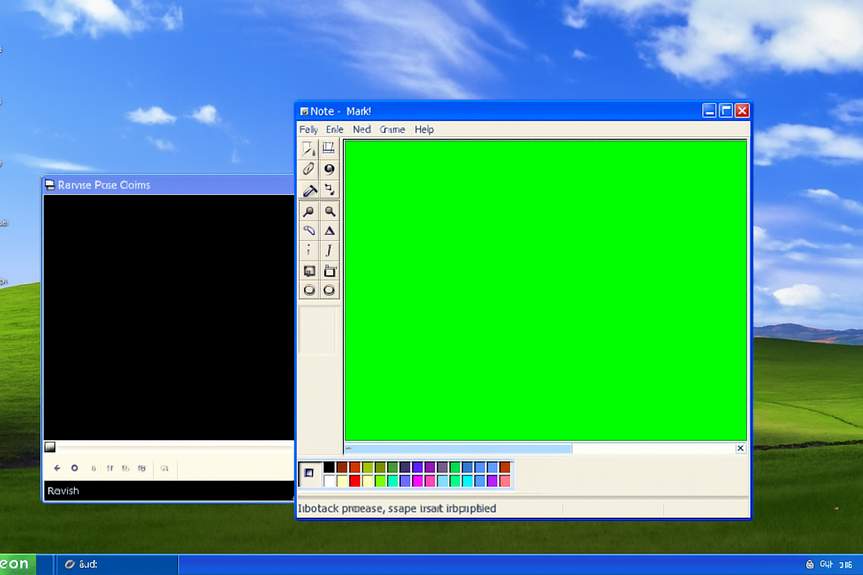
Green Screens and Sneaky Video Magic
Ah, the nostalgia! If you’ve ever booted up the trusty old Windows Media Player back in the days of Windows 95, 98, or even XP, you might have felt a wave of mild shock wash over you—because guess what? It was pulling a fast one on you!
Imagine this: your media player wasn’t actually rendering video right there in front of you. Nope! It was conjuring up video from an alternate reality, rendering it on some secret green screen away from your desktop. When it was ready, it would cleverly beam that video right into your player. Kinda like magic, right?
Chroma-What? The Science Behind the Scene
These days, green screens are everywhere—especially on Twitch or in the latest superhero flicks. A bright, vibrant canvas makes it easy to erase backgrounds, letting our imaginations run wild. But did you know the fancy term for this technique is chroma-keying? That’s what Windows was using to pull off its video trickery back in the day.
Microsoft developer Raymond Chen spilled the beans on how the whole setup worked. Instead of just showing you the video pixels directly, Windows would first paint a colorful green layer. Then it would send the video data to a graphics surface, shared with the graphics card, and instruct it: “Hey, whenever you see green pixels, swap in the video pixels from that surface!” Voila! Your video was now playing on top of an invisible green blanket.
This technique had its perks: it avoided unnecessary pixel format conversions if your video and monitor didn’t see eye to eye, and it helped keep things running smoothly even when your computer felt like it was hanging in there!
And if you thought that was clever, just wait! Advanced methods like flipping made video playback even more seamless. By using two graphic surfaces—one for what’s currently playing and one for the next brilliant snapshot—the video card could perform its magic switcheroo as fast as lightning, helping you enjoy your 240p masterpieces without a hitch!
Painting with Pixels: A Fun Twist
Now here’s where it gets hilariously interesting. Ever tried taking a screenshot while a video was still playing? Here’s where the fun begins! When you snapped that screenshot, you captured everything the video card sent to your monitor—and if overlays were active, guess what? Those were not your typical pixels!
Your screenshot contained a bunch of green pixels where the video used to shine. And if you popped that image into Paint, the magic continues! If Paint was lined up just right over the media player, those green pixels became the visuals from your video. Talk about a pixel swap party!
But move that Paint window away? Suddenly it would reveal its true self—a canvas filled with boring old green. Fancy that, huh?